


New supported printer plug-ins
- Some of the new implemented printers are:
- Canon imagePROGRAF iPF680/685
- Canon imagePROGRAF iPF780/785
- Canon imagePROGRAF iPF6400SE
- Canon imagePROGRAF iPF8400SE
- Canon imagePROGRAF iPF830/840/850 (Currently under development)
- Epson SureColor SC-T3000
- Epson SureColor SC-T5000
- Epson SureColor SC-T7000
- HP DesignJet Z5400
- HP DesignJet Z6600 Production Printer
- HP DesignJet Z6800 Photo Production Printer
- HP DesignJet T920 ePrinter
New tools within the PosterJet Client
- Canvas Border Maker
-
This new feature is specially designed for users who print on canvas medias and whose workflows include framing the printout. After loading the image file into the Canvas Border Maker the user is able to set the desired final size. The tool enables users to prepare their images by adding a mirrored edge around the image itself. The mirrored edge is adjustable in width and uses the file itself for image information. When framing the picture after printing it, there will be no more white canvas visible surrounding the image.
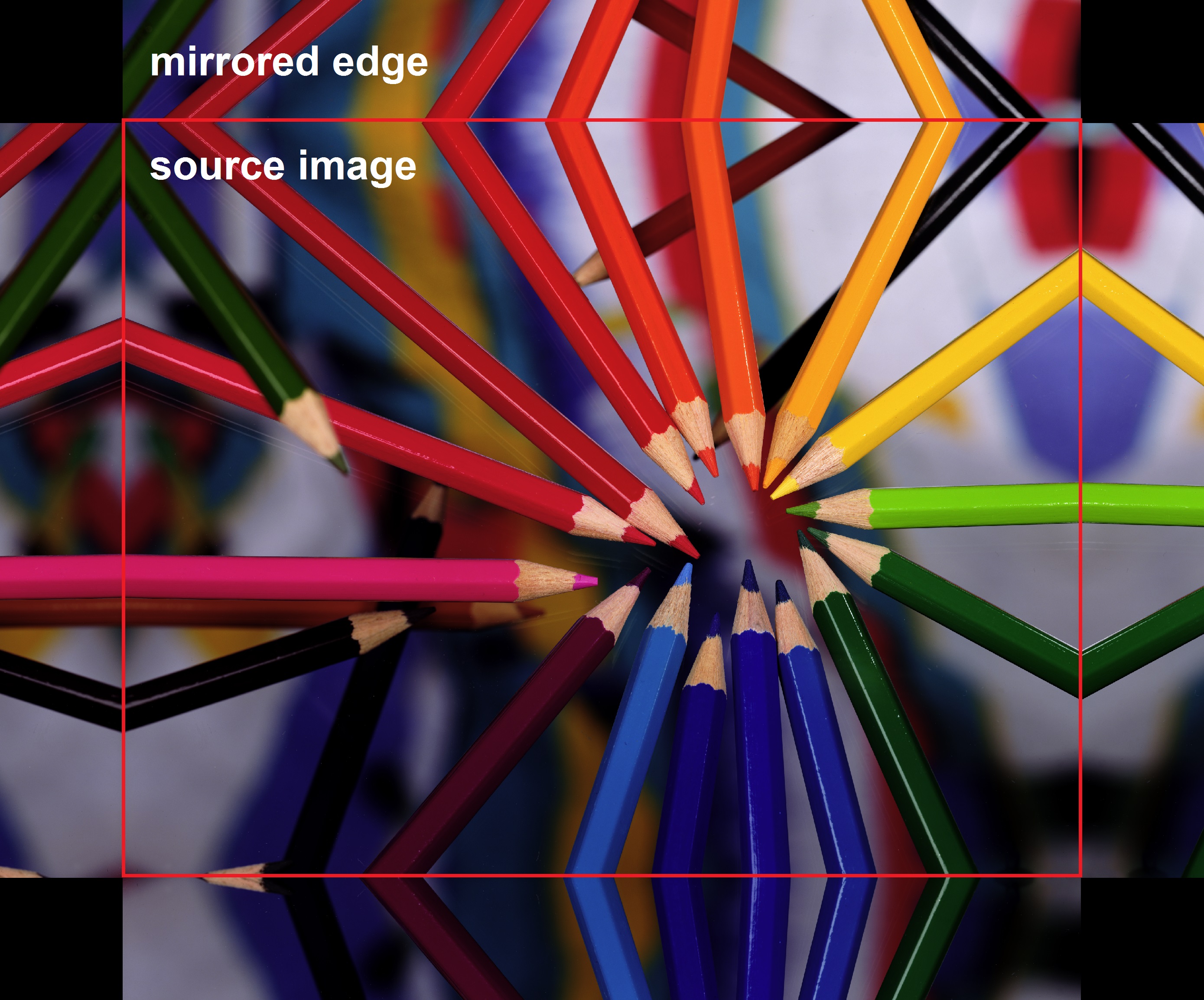
A checkbox can be activated to include the corners in the process.
- Swatchbook Generator
-
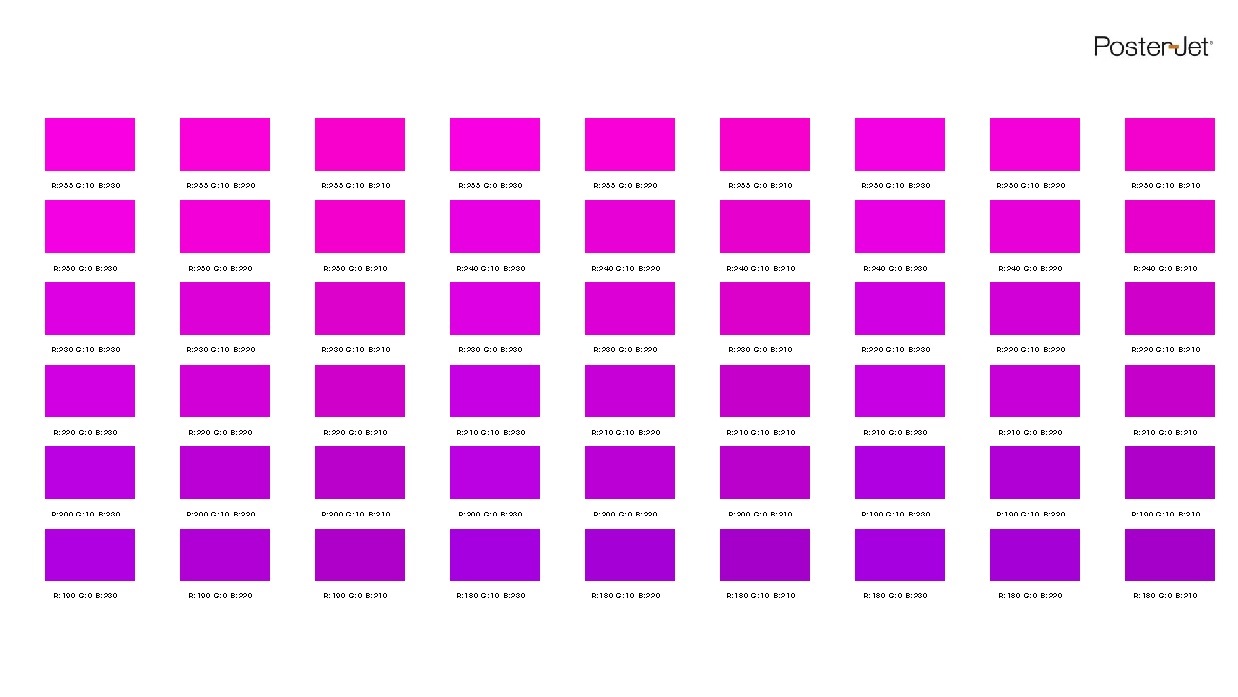
The Swatchbook Generator is an extremely powerful tool to increase the predictability of your color output for any given color (wether RGB, CMYK, or Lab). It enables the user to quickly generate a swatchbook with a number of variations of a source color. The tool is accessible from the PosterJet Client. Color values can simply be added in the Swatchbook Generator window. Now values for variations in each color axis can be set individually. The result is a file in form of a swatchbook that contains a defined number of variants of the reference color including their respective value. The variants can be used to visually compare the rendered colors to the original.
Improved PosterJet installation and operation
- Optimized PDF handling
-
PDF compatibility in version 8.6.2 R5 has been updated to match the latest standards. Possible issues occuring during reproduction of CS6 files have now been resolved.
- Optimized spot color rendering
-
Processing of Lab values within spot colors has significantly been improved compared to previous versions. By implementing a new algorithm PosterJet is now able to reproduce spot colors with no to minimal (e.g. if color is out of gamut) deviation to the original color. Additionally the spot color editor was revised in order to allow a better overview of custom spot colors.
- One-Click installation
-
It is now possible to install all PosterJet components with just one click. To use this method, simply select the One-Click installation option after running the Autostart.exe file. This method will install the ‘PosterJet Admin Tool’, ‘PosterJet Client’ and the new ‘PostgreSQL database’. After this process is done the user can start using PosterJet right away.
Furthermore the amount of printers installed by default was reduced in order to increase installation speed. Naturally the user is still able to add all the printer plug-ins after the installation has finished. The printer plug-ins are available as part of the installation dvd, on our website or by using the integrated media update service of PosterJet.
The One-Click installtion also simplified the process of installing PosterJet 8.6.2 R5 on Windows 8.
- Alternative PosterJet Client installation
-
Aditionally to the existing installation method using the One-Click deployment, PosterJet 8.6.2 R5 was expended by a new method. The added installation is based on its own Setup.exe. The advantage of this installation variant is that the PosterJet Client will now also be installed into the Eisfeld Datentechnik folder in programm files. This achieved a user-independent installation and removes the necessity of installing the client for each individual user on a PC. This process is used by default when choosing the One-Click installation.
- PostGres databank engine
-
A new addition in PosterJet 8.6.2 R5 is the automatic installation and use of a new database engine. Although it is still possible to use the Microsoft SQL Express technologie, the newly integrated PostGreSQL is now the default choice when installing PosterJet. If necessary, the user can switch back to Microsoft SQL even after installing PosterJet 8.6.2 R5, provided it is installed. PostGreSQL requieres less memory and CPU power and increases PostersJet’s speed, especially on out-dated PCs.